
Machining heating load components
Edit heating load components
Button: 
Command name: EditComponentHeizlast
-
Specify the corner diagonally opposite the first corner.
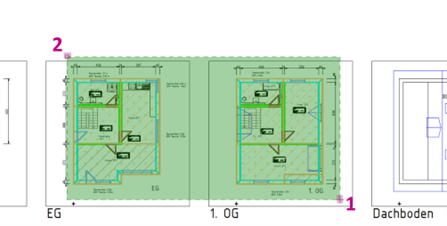
All similar components in the selection area are selected and the Edit components dialogue opens. -
Make your desired changes in the Edit components dialogue.
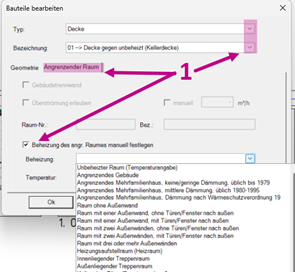
The changes are applied to all selected components.To apply the changes to the heating load, you must call up the Enter room geometry command.