
Replace arches
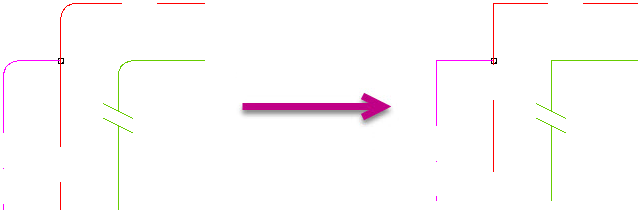
Replace bends
Button: 
Command name: ReplaceBends
Range selection
- Specify the bottom left corner of the area boundary.
- Specify the top right-hand corner of the area boundary.
- Confirm your selection with Enter.
Individual selection
- Select the sheet elements to be replaced.
- Confirm your selection with Enter.
Note:
For the ReplaceBends command to be executed successfully, the pipes must not be continued at the intersection.
Note:
When recording the pipe network, the structural design is taken into account when determining the deflection.