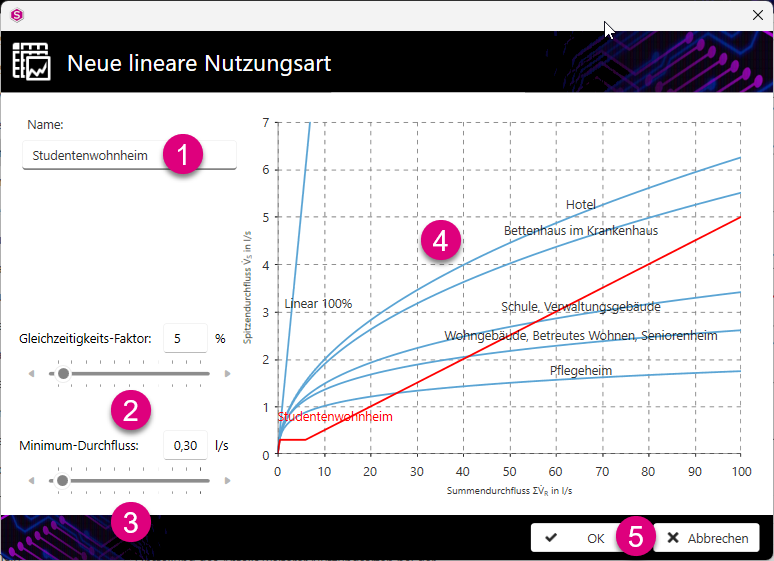
With New (linear)... you add new linear usage types. This takes you to the New linear usage type dialogue.
-
Enter the name of the new usage type.
A red graph is added for the added usage type.
-
Specify the simultaneity factor using the slider or the input field.
The diagram is customised according to your setting.
-
Specify the minimum flow rate in l/s using the slider or the input field.
The diagram is adjusted according to your setting.
-
Use your values to check the new curve in the diagram.
-
Click Ok to confirm your entry and exit the dialogue.