
Pump settings
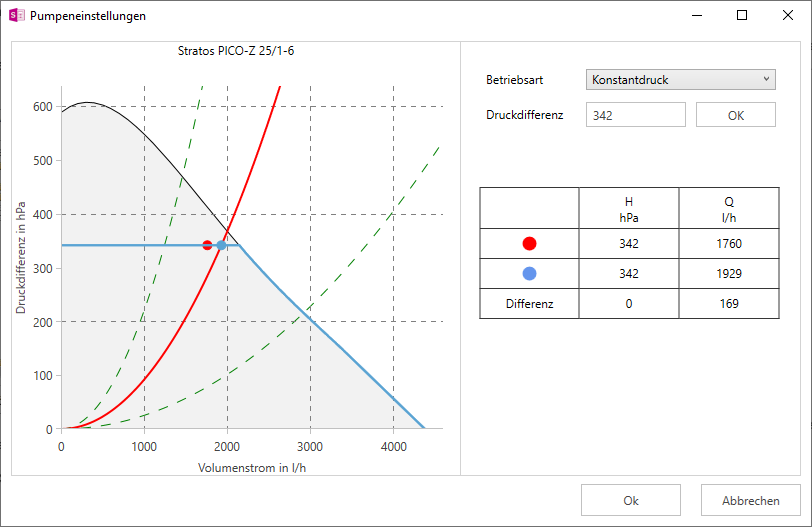
Settings dialogue for the circulation pump
The Pump settings dialogue appears after double-clicking on the pump symbol in the Pipe network simulation window or by clicking on the Pump button in the Dashboard (simulation) window.
Note:
The pump used for the simulation is taken from the calculation.
Operating mode
Depending on the selected pump, you can select the Constant pressure or Characteristic operating mode. If you have selected the Constant pressure operating mode, you can adjust the calculated pressure difference using the Pressure difference input field. If you select Characteristic curve, you can select the stage.
Pump pressure difference and flow rate table
The pressure differences H in hPa and the flow rates Q in l/h are displayed in the table to the side of the pump characteristic curve. The calculated values (red dot in the diagram) and the selected points (blue dot in the diagram) as well as the deviation between the two values are displayed.
