
Component properties
Calls up the component properties
The component properties window shows the property values for your selected components and allows you to customise these values. After selecting the component in the drawing, the property values are displayed grouped into categories.
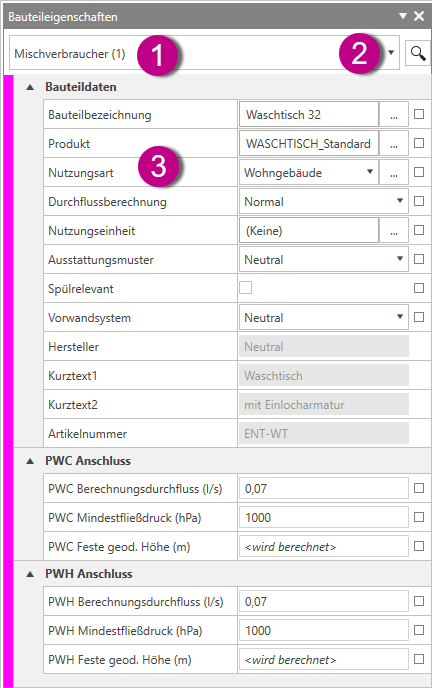
The component properties window comprises the following components:
- Component filter
- Find function
- Part properties
You can find more information on our YouTube channel.
