
Waste water
In the Waste water area in the Edit configuration dialogue, you define the settings for creating pipe networks for the room-based drawing functions.
Waste water
| Function | Explanation of the function |
|---|---|
| Chamfer length | The specified bevel length defines the bevel length for connecting two pipes in cm. 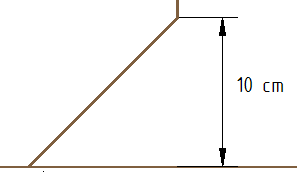 |
| Height of the cable offset | The specified height of the cable offset in cm specifies the distance between the cable offset and the lower edge of the room.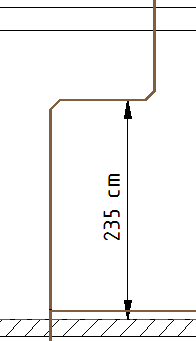 |
| Function | Explanation of the function |
|---|---|
| Standard | The specified standard connection height in cm defines the distance between the horizontal connection pipe of waste water or grease pipes and the lower edge of the room.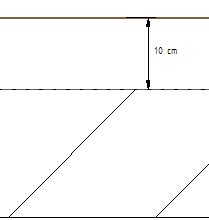 |
| Floor-level connection | The specified connection height for the floor-level connection in cm specifies the height difference between the connection pipe and the lower edge of the room.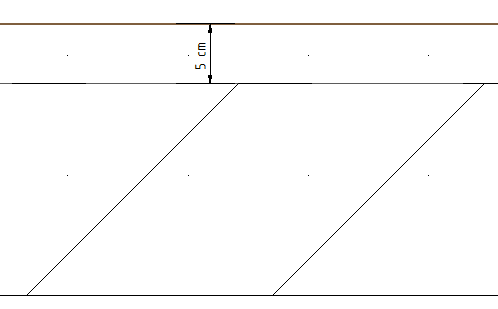 |
| Upper connection | The specified connection height for the upper connection indicates the height difference between the connection pipe and the lower edge ofthe room.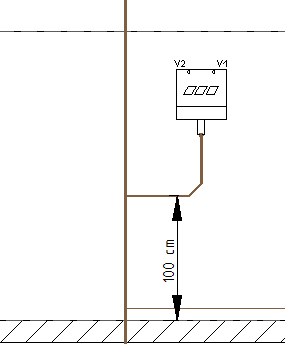 Note: In order for the upper connection to be created according to the specified connection height, the Upper connection checkbox must be activated. |
| Function | Explanation of the function |
|---|---|
| Ventilation types | Use Ventilation types to select the ventilation type for. |
| Height of the ventilation delay | The specified height of the ventilation offset in cm indicates the distance between the ventilation duct and the lower edge of the room. Note: The specified ventilation offset is only used for recirculation ventilation and indirect secondary ventilation. 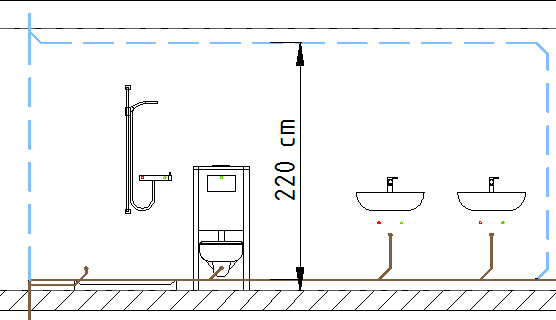 |
| Height of the ventilation valve | The height of the ventilation valve entered in cm specifies the distance between the connection point of the ventilation end point and the lower edge of the room.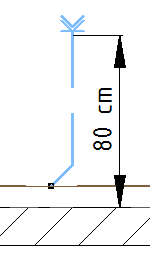 |
| Direct secondary ventilation | If the Direct secondary ventilation checkbox is activated, direct secondary ventilation is also generated if the pipe geometry permits. |
Important:
In order for the configuration changes made to be applied to the current drawing, you must call up the function Update all or Update selection again.