
Drawing settings
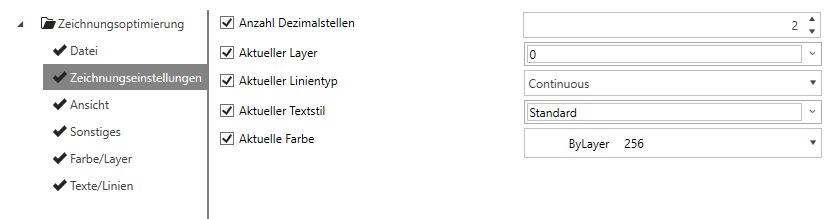
Number of decimal places
Here you can set the number of decimal places displayed by the CAD system's coordinate system.
Tip:
STUDIO
We recommend keeping the number of decimal places to a minimum.
Current layer
Here you can adjust the currently used layer on which new CAD elements are drawn.
Current line type
Here you can adjust the currently used line type on which new CAD elements are drawn.
Current text style
Here you can customise the current text style used to place new CAD texts.
Current colour
Here you can adjust the currently used colour in which new CAD elements are created.
Tip:
You can use the Current layer, Current line type, Current text style and Current colour configurations to quickly set your office standards for new elements to be drawn.
Note:
The changes made under Current layer, Current line type, Current text style and Current colour only apply to newly drawn elements. Existing elements are not changed.