To assign construction stages in the drawing, you must first create these construction stages. This is done in the Edit construction stages dialogue.
-
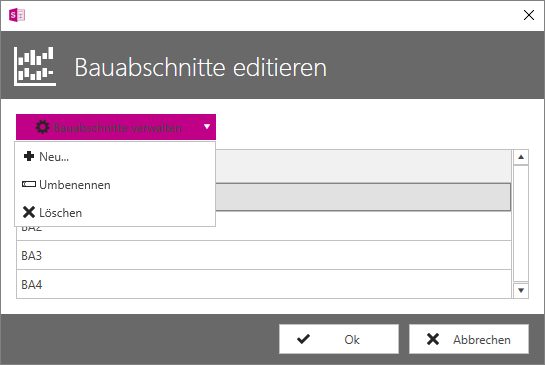
Open the section properties and click on the button with the three dots behind Construction stage to open the Edit construction stages dialogue.
-
Expand the Manage construction stages drop-down menu and select New to create a new construction stage.
-
In the Create new construction stage dialogue, enter a name for the construction stage or accept the default name.
-
Click on OK.
The construction stage is now listed under Construction stage name.
-
Repeat these steps to create further construction stages or click OK to close the Edit construction stages dialogue.
You can find more information on our YouTube channel.  You can access the video here
