New homepage
Homepage with a new look and new features
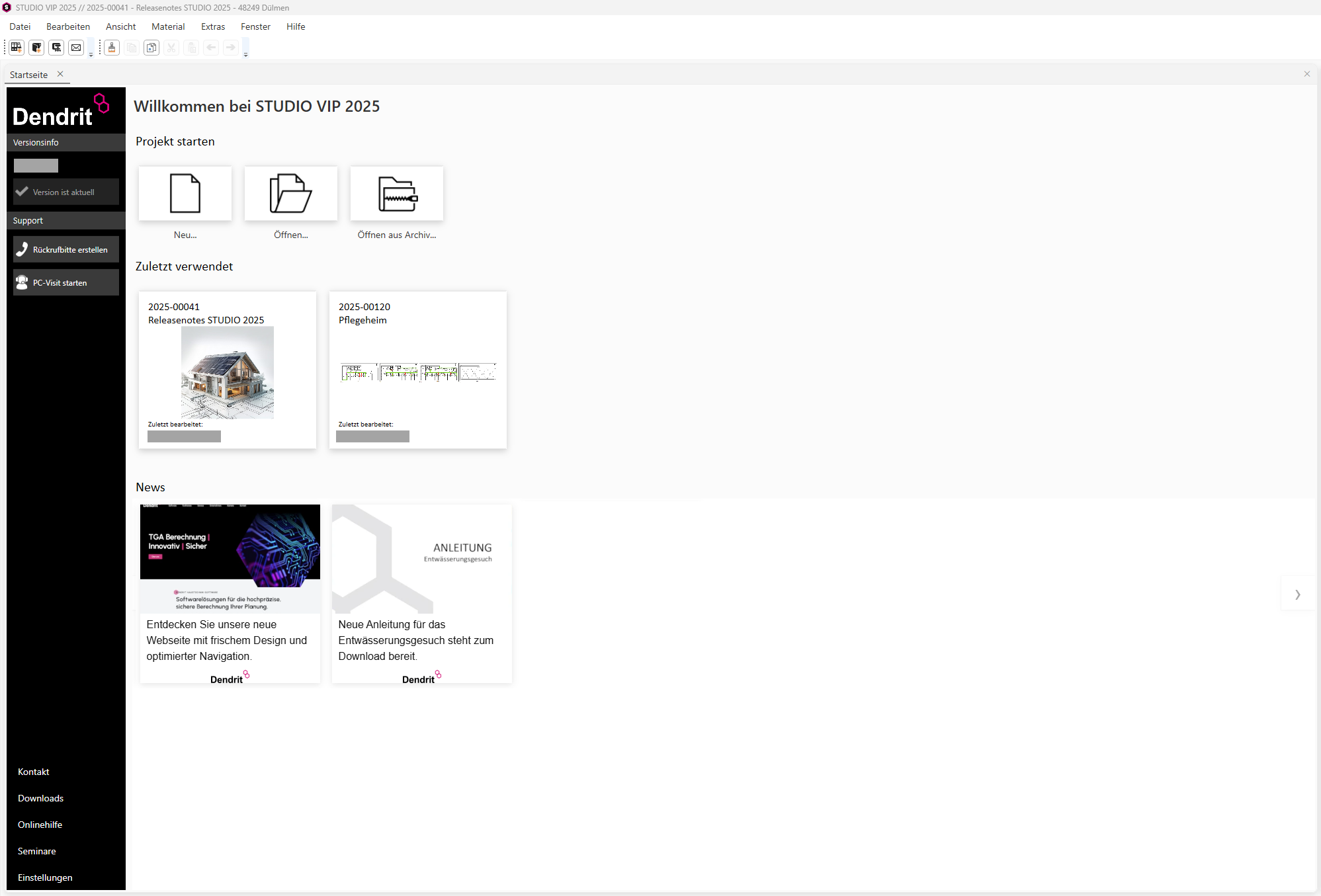
You can now start a new project using the prominent buttons in the centre of the home page. In the centre, you’ll see your most recently edited projects displayed in a modern tile layout.
Alongside the project number, project name and location, you’ll also see the new project image – which can be saved on the cover page – or the thumbnail of the most recently edited document. Clicking on one of these tiles loads the project and the most recently opened documents within it, allowing you to continue your work seamlessly.
The footer contains the new news section, where you can find information on programme updates, new features, contact details and partner news.
All information on service and support is available in a compact view on the left-hand service panel. Is the software up to date? You can now check this directly at the top of the left-hand black section of the page.