Use variables
In the Project and application settings dialogue, click on the button with the three dots to open the dialogue for customising each section of the header or footer.
The dialogue for customising the header or footer already contains preset variables.
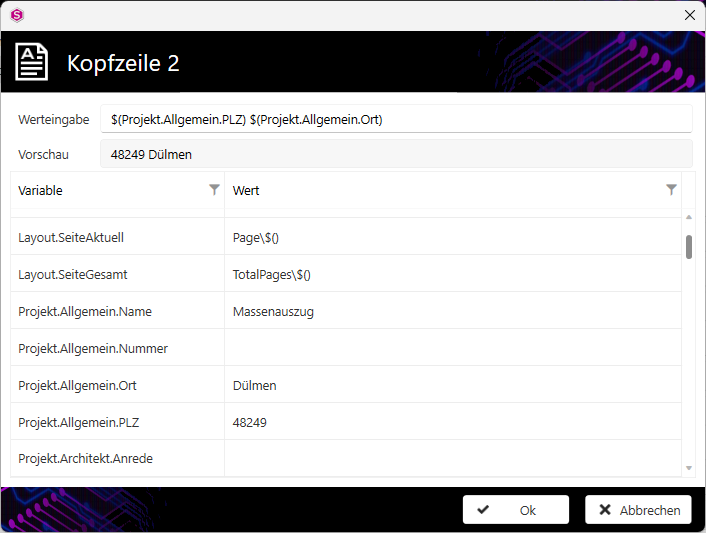
The variables of the Layout type insert the page numbers.
- Layout.pageCurrent shows the current page number
- Layout.PageTotal displays the total number of pages in the output.
The variables of the Project type insert information that you have entered in the Project data dialogue for the project cover sheet.
The variable of type System inserts the version number of the version of CALHYDRA used.
Double-click on a variable to transfer it to the Value input field and thus to the desired position in the output; the preview below shows how the variable is output in the printout.
Note:
You can combine several variables with each other.
Note:
In the Value input field, you can enter text freely and combine it with variables.
Examples of the combination of free text and variables:
Entering "Project number: " as free text (green) combined with the variable "Project.General.Number" (orange).
- Value input:

- Display in the output:

The input of "Page " as free text (green) followed by the variable "Layout.Page Current" (orange) followed by " of " as free text (green) and the variable "Layout.Page.Total" (orange).
- Value input:

- Preview:

- Display in the output: