Renaming rooms and runs
In the Schema Generator, you can change the names of rooms and runs.
In the Floor Plan module, you can change the names of rooms. To do this, click in the field where the room name is displayed and enter a new name.
Note:
The room name assigned here is also used when creating the room polygons for room-based drawing.
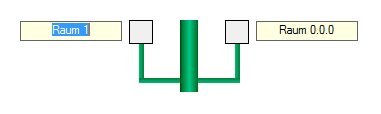
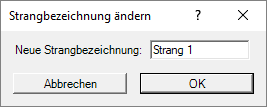
In the pipework diagram, you can change the names of pipework runs. To do this, right-click in the field where the pipework run number is displayed. Then enter a new pipework run name in the ‘Change Pipework Run Name’ dialogue box.