Apply component filter
By using the component filter, you limit your previously made component selection in the drawing to certain component classes.
-
Expand the drop-down menu by clicking on the small arrow.

-
Select the desired component from the drop-down menu.
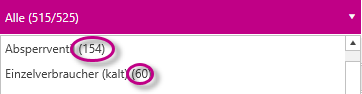
The number of components is displayed in brackets to the right of the component type.