
Docking windows and unmoored display
The user interface windows can be hidden and are shown again automatically on mouseover.
To dock and undock the window, click on the arrow in the title bar of the window and select Undocked.
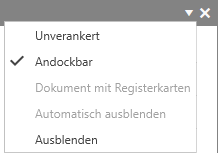
By clicking on Undocked, the window is detached from the user interface and can be moved freely. If you want to dock the window again, activate the Dockable option.