
Heating surfaces in the project
Displays the heating surfaces in the project in a structured manner
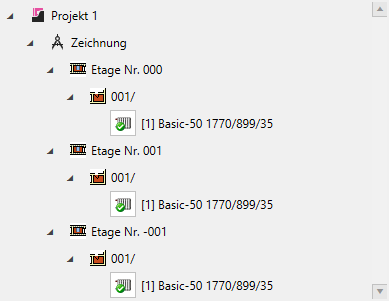
Use the arrows on the left to navigate through the project structure. The heating surfaces for the corresponding room are displayed as the last level. Left-click on the button in front of the heating surface name to place the heating surface again.
Note:
The new heating surfaces are not automatically transferred to the design, but must be created manually.
You can find more information on our YouTube channel.
