
Enter licence key
Enter your licence key.
When you start CALHYDRA for the first time, you will be asked to enter your licence key. The licensing dialogue is automatically called up when you start the program.
-
Now enter your licence information, which consists of the company name, your surname and the 42-digit licence key.
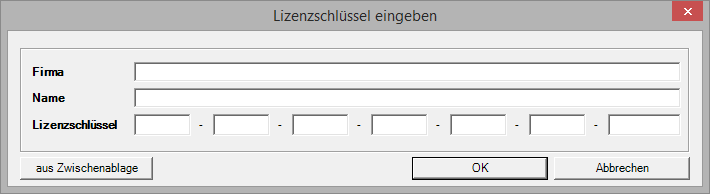
Note:You can type in the licence key or copy and paste it to the clipboard. -
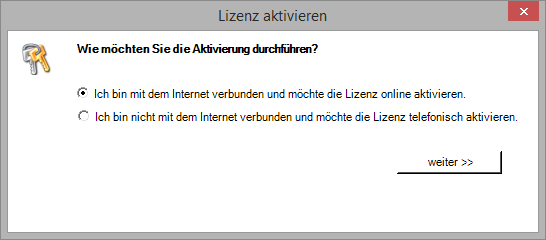
There are two ways to activate the licence.
-
If you are connected to the Internet, select the first option to activate the licence online. Follow steps 6 and 7.
-
If you are not connected to the Internet, select the second option to activate the licence by telephone. Follow steps 8 and 9.
-
The licence key entry is now complete and the licence is activated. Close the licence manager, CALHYDRA starts automatically.